Working from home often starts at the kitchen table with a laptop, and within a few months becomes the permanent setup. Your body quickly flags a bad setup: by evening your neck aches, your lower back stiffens, your eyes get tired. The good news is that most posture problems can be fixed with adjustments rather than expensive new furniture. Let’s go through the workspace element by element and put together a simple checklist.
Start with the chair, not the desk
The logic of setup starts from your body. First you sit so your legs and back are comfortable, then you adjust the desk and screen to that posture. If you start with the desk, you end up adapting yourself to the furniture.
- Sit all the way back so your back rests against the backrest, leaving two to three fingers’ width between the edge of the seat and the back of your knees.
- Adjust the height so your feet are flat on the floor and your thighs are roughly parallel to the floor or tilted slightly downward.
- Set the lumbar support so it follows the natural curve of your back rather than pressing into one spot.
- Lower the armrests to a level where your shoulders stay relaxed, or remove them if they stop you from pulling up to the desk.
If the chair can’t go low enough because the desk is too high, use a footrest. It’s a cheap and very effective fix, especially for shorter people.
Desk height and hand position
The benchmark for the desk is simple: when you sit with relaxed shoulders, your elbows are bent at roughly a right angle, and your forearms rest on the desktop or just above it. Your wrists stay straight, without bending up or sideways. A standard desk around 75 cm tall suits people of average height; everyone else has to adjust.
| Height, cm | Seat height, cm | Desk height for seated work, cm |
|---|---|---|
| 150-160 | 38-41 | 64-68 |
| 160-170 | 41-44 | 68-72 |
| 170-180 | 44-47 | 72-76 |
| 180-190 | 47-50 | 76-80 |
| 190 and taller | 50-53 | 80-84 |
The figures in the table are approximate: everyone’s body proportions differ, so confirm the final height by checking your elbow angle and shoulder position. If the desk is too high and not adjustable, raise the chair and add a footrest. If it’s too low, you can raise it on furniture risers.
Keyboard and mouse
If your mouse hand gets tired by evening, try a different mouse shape: a vertical mouse keeps your hand in a “handshake” position, and a larger model means you don’t have to grip it with your fingers. You can also offload some actions to keyboard shortcuts and a trackpad to spread out the strain. A wrist-rest mousepad doesn’t help everyone: if it makes your wrist bend, skip it.
Keep the keyboard right in front of you, with the mouse next to it at the same level, so you’re not reaching for it with your shoulder. The flip-out feet on a keyboard usually do more harm than good: a flat keyboard, or one tilted slightly away from you, is easier on the wrists.
The best working posture is the one you’re about to change: even a perfectly set-up workspace is no substitute for moving around during the day.
Monitor: height, distance, angle
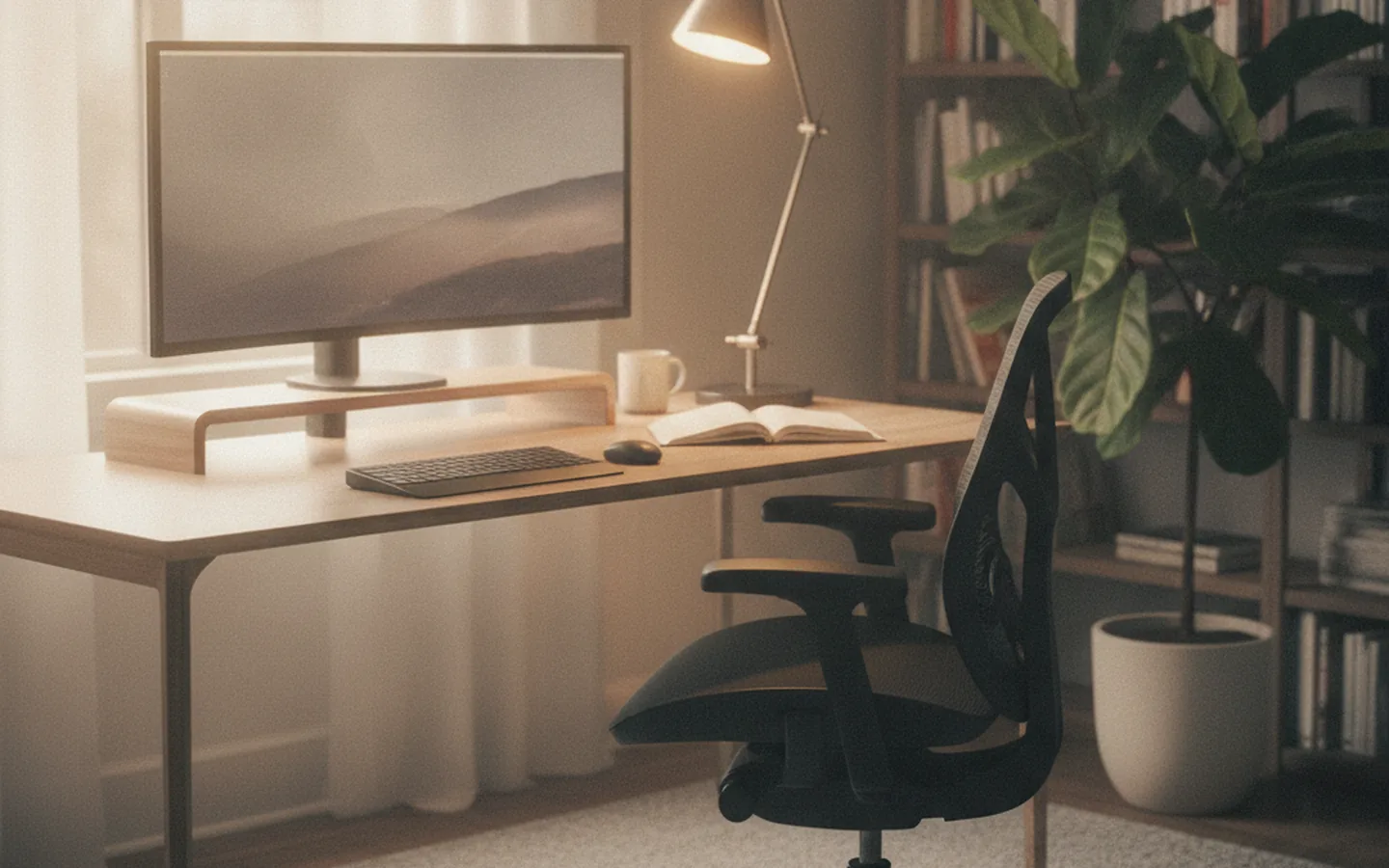
Place the screen roughly an arm’s length away, usually 50–70 cm for a 24–27 inch monitor. The top edge of the image should be at eye level or slightly below, with the screen tilted back a little. That way your gaze naturally points slightly downward and your neck doesn’t tilt back.
It’s trickier with a laptop: the screen and keyboard are joined, so you can’t position both correctly at once. If you work on a laptop more than a couple of hours a day, raise it on a stand to eye level and plug in a separate keyboard and mouse. The set costs roughly 3,000–8,000 ₽ as of 2026, and it’s one of the best-value investments in comfort you can make.
- Position two monitors so the main one is right in front of you and the second one is off to the side at a slight angle.
- If you wear progressive lenses, it’s better to lower the screen so you don’t have to tilt your head back.
- Increase the interface zoom level instead of leaning in toward the screen.
Lighting and the screen
Eyes get tired not just from screen brightness but from the contrast between the screen and its surroundings. Working in a dark room with a bright screen is tiring, and so is sitting with your back to a bright window with the sky reflecting in your monitor.
- Position the desk so the window is to the side, not in front of you or behind you.
- In the evening, add general room lighting plus a desk lamp aimed at your papers, not at the screen.
- Choose a warm or neutral color temperature for your lamps; many people find cool light harsh in the evening.
- Match screen brightness to the room lighting: a white background shouldn’t glow brighter than a sheet of paper next to it.
Sound, air and temperature
Ergonomics isn’t only about furniture. Noise from the next room, stuffy air, and a draft from the window also wear you down and break your concentration. Air out the room at least every couple of hours, make sure there’s no draft under the desk, and use a headset for calls: that way you won’t have to lean toward the laptop mic and talk louder than usual.
Breaks and movement
Even a perfect posture isn’t meant to be held for eight hours straight. Your body needs to change position. A simple rule: shift your posture briefly every 30–45 minutes, and get up and walk around for at least a couple of minutes once an hour. For your eyes, it helps to get in the habit of looking into the distance: every 20 minutes, look at something a few meters away for about twenty seconds.
A height-adjustable desk helps you alternate between sitting and standing, but it’s not magic. Standing all day is tiring too. A good pattern is to alternate: calls standing, focused work sitting. If there’s no room for a full standing desk, a sit-stand riser on top of a regular desk works just as well.
What it costs to set up
You can upgrade your workspace in stages. Roughly, as of 2026: a footrest and a laptop stand together run 2,000–5,000 ₽, a separate keyboard and mouse 2,000–6,000 ₽, an external monitor from 12,000 ₽, a chair with decent adjustments 15,000–40,000 ₽, an electric height-adjustable desk from 25,000 ₽. Start with whatever fixes the most noticeable problem: if your neck hurts from a laptop, what you need first is a screen at eye level, not a new chair.
When choosing a chair, the number of adjustments matters more than the brand and looks. At minimum: seat height, backrest tilt and firmness, lumbar support. If you can, sit in the chair for at least ten minutes before buying and check whether you can lower it enough for your feet to rest flat on the floor.
Workspace checklist
- Feet rest on the floor or a footrest, thighs roughly horizontal.
- Back rests against the backrest, lower back is supported.
- Shoulders relaxed, elbows at about 90 degrees, wrists straight.
- Keyboard and mouse at the same level, right in front of you.
- Top edge of the screen at eye level, distance about an arm’s length.
- Window to the side, no glare on the screen, general lighting on in the evening.
- You have a break plan and a habit of standing up at least once an hour.
If space is tight
Not everyone has a spare room for an office. You can set up a work corner in the bedroom or living room as long as you keep the main principles: a stable surface at the right height, an adjustable chair, an external screen or a laptop stand. Working from the couch or bed is fine as an exception, but not as a daily routine. A dedicated spot also helps psychologically: you finish work, step away from the work area, and your head switches over to rest mode.
Finally, revisit your setup from time to time. A new chair, new glasses, a second monitor, or just a changed sitting habit shift the whole chain: it’s worth running through the checklist again every couple of months and adjusting whatever has drifted.
FAQ
What desk height do I need at 175 cm tall?
Roughly 72–76 cm for seated work with a seat height of 44–47 cm. Check against your own body: elbows bent at roughly a right angle, shoulders relaxed, wrists straight.
Is it okay to work on a laptop for long periods without a stand?
Occasionally, yes, but with daily use a laptop screen forces you to tilt your head down. A stand plus a separate keyboard and mouse noticeably reduce the strain on your neck.
What should I do if my back still hurts after setting up my workspace?
See a doctor. Ergonomics reduces strain but doesn’t replace diagnosis and treatment, and persistent pain needs a professional assessment.
This article is for informational purposes only and does not replace professional advice. Prices are approximate and current as of the review date. Found an error? Let the editors know via the contact page.